Step 1: Once your purchase from SEAGM is completed, retrieve your code from "My Cards" in your SEAGM account.
Step 2: Log in to your NCSoft account and select "Register Coupon".
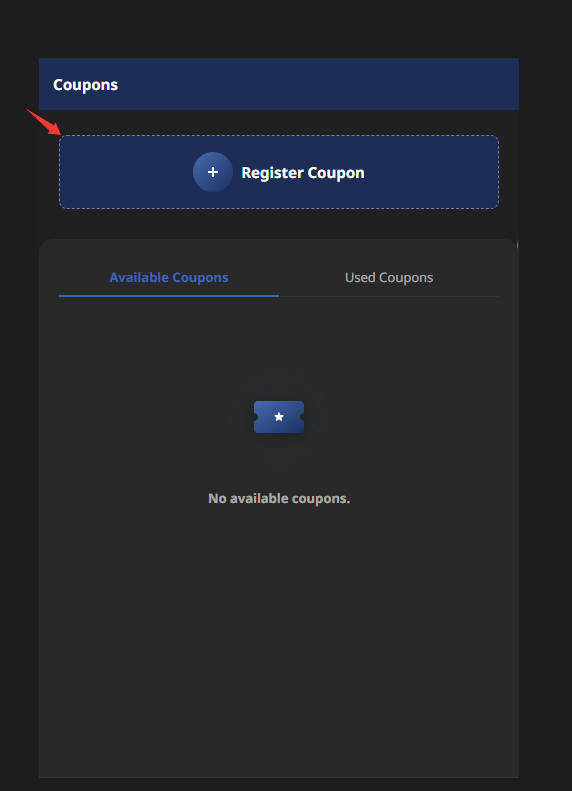
Step 3: Enter your code. After successful verification, the available coupon will be displayed under the "Available Coupons" section.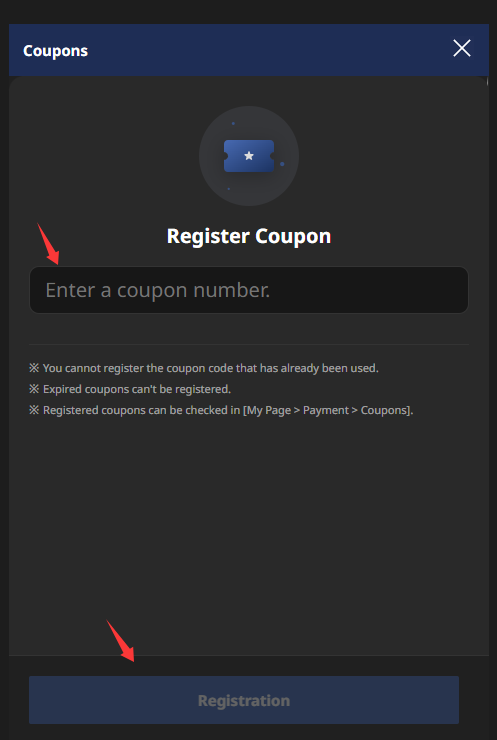
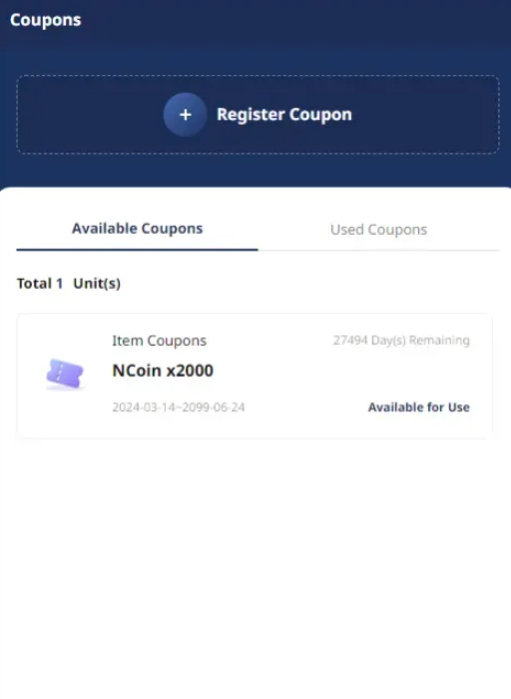
Step 4: Select the coupon you wish to redeem, then click "Use".
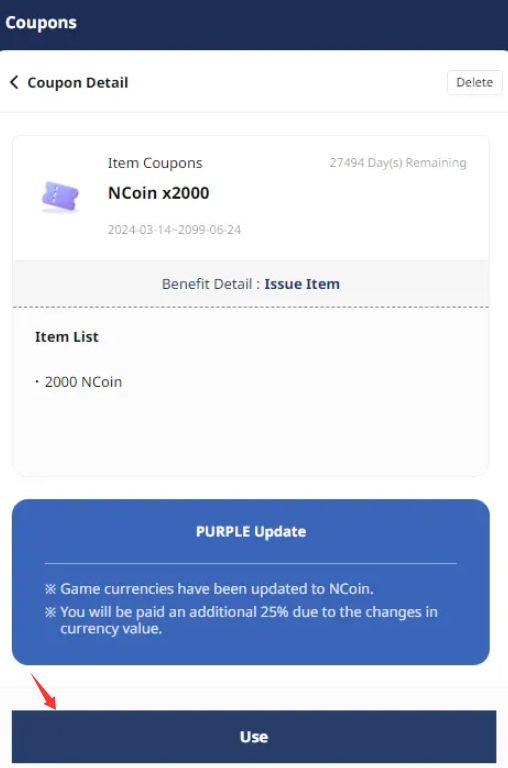
Step 5: When the confirmation message showing an additional 25% value appears, click "OK" to proceed.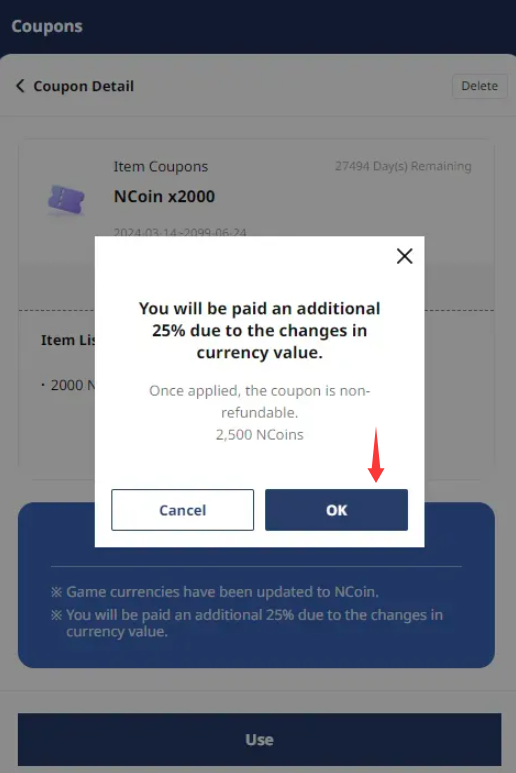
Your NCSoft [Global] code has now been successfully redeemed. Enjoy your gaming experience!
Thank you.
Visit the SEAGM Support site for quick answers and guides.
Need support? Contact our Customer Support via LiveChat .